
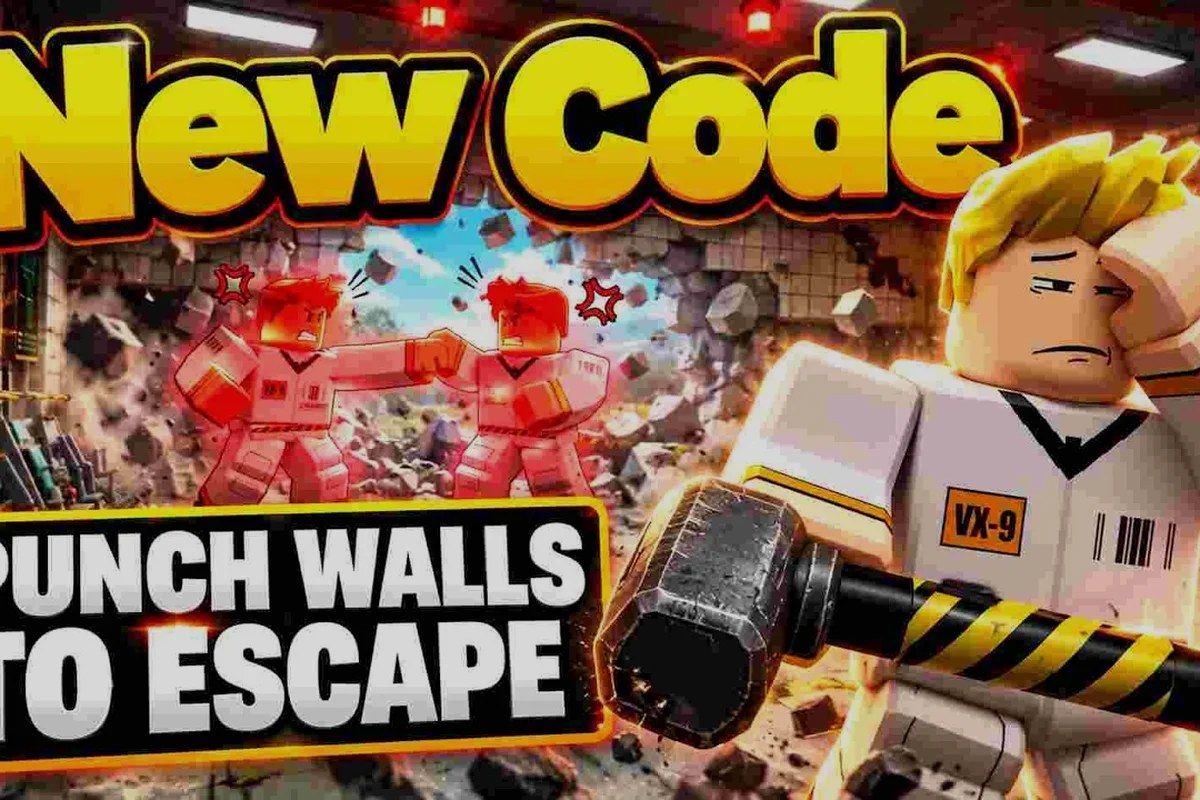
Punch Walls to Escape Roblox game explained starts with one simple rule: punch blocks loose, vacuum the rubble, and dump it for cash before the guard sends you back. Learn the loop, sentence lengths, escape timing, and practical graphics choices that can make each attempt smoother.
How the Punch Walls to Escape Roblox game explained
Punch Walls to Escape is built around a repeated dig-to-cash loop. A guard puts your character in solitary confinement with only bare fists, and your route out runs through the wall itself. Each wall contains blocks that must be damaged, collected, and deposited into the Bottomless Bucket to earn cash. Understanding that connection makes progression easier because every action has a clear purpose.
The official game page identifies the experience as a Roblox simulation and incremental simulator, with place ID 136606353774156 inside universe 10771125172. That format matters: this is not a conventional level with a single visible exit. Instead, the game measures progress through repeated resource gathering and gradual removal of the barrier.
The core loop can be summarized in four stages, but their order determines how efficiently a run progresses. For example, breaking three wall blocks without gathering the loosened rubble can add avoidable movement time, while vacuuming each piece before depositing it keeps the next section of the tunnel accessible. The Bottomless Bucket then converts those collected blocks into cash, which can fund stronger punches or faster digging on the next attempt.
| Stage | Action | Purpose | Result |
|---|---|---|---|
| Break | Punch wall blocks until they loosen | Create collectible rubble | The tunnel advances |
| Collect | Vacuum loose pieces from the floor | Reduce cleanup time | Material is ready to sell |
| Deposit | Empty the rubble into the Bottomless Bucket | Convert material into rewards | Cash is earned immediately |
| Continue | Use cash and available tools to strengthen the next attempt | Improve pace and durability | The next dig is more efficient |
That sequence explains why randomly swinging at the wall is inefficient. Damage matters, but collecting every dropped block before continuing matters just as much. If pieces remain scattered around the cell, the player spends part of the run moving instead of extending the tunnel. The vacuum and cash-flow guide breaks down this economy in greater detail.
What the guard actually does
The guard is not simply an obstacle who walks toward you. At the start, the guard tosses the character into solitary confinement, where the player receives nothing but their fists. This creates the core challenge: the character can begin working immediately, but cannot rely on powerful equipment from the first second.
Your first goal is therefore modest and practical. Punch one block loose, confirm that it becomes rubble, and learn how to collect it. Once the basic action works, the tunnel can grow in a consistent direction. The beginner guide to solitary confinement basics provides a practical introduction to the early game.
Why the loop feels different from a standard simulator
Typical incremental games emphasize passive income or automated production. Punch Walls to Escape keeps the player physically active through the entire cycle. The punch is manual, the vacuum still requires attention, and the deposit is an intentional trip to the bucket.
That active design creates several overlapping goals: choose a punchable section without wasting time, upgrade the tool enough to match the next wall, and preserve momentum while collecting debris and depositing it in the bucket. Because the vacuum and deposit stages still demand input, a faster punch does not guarantee a faster escape; the bottleneck can shift to material handling or route progress, especially when weaker tools force repeated hits.
-
Tunnel length: How far has the route progressed through the wall?
-
Cash total: How much material has been converted into rewards?
-
Tool strength: Can your current equipment break the next obstruction?
-
Cycle efficiency: How quickly can you convert broken blocks into deposits?
-
Run completion: Does the current attempt reach freedom before the guard interferes?
The exact escape duration is not a fixed countdown. It depends on selected sentence length, available tools, upgrades, player efficiency, and whether the current version includes features beyond the verified core loop. This distinction is essential when comparing estimates for how long an escape takes.
Sentence Length and Escape Time
When you choose a sentence at the beginning, Easy creates a short dig, Normal creates a longer dig, and Hard creates the longest dig of all. These choices directly influence how long it takes to escape because each option represents a different amount of wall to break. Easy is useful for learning, while Normal and Hard ask you to sustain the core loop for longer.
Because the selected sentence determines the amount of work, a player who chooses Hard cannot expect the same completion time as someone on Easy. Punch damage and upgrade strength affect the rate, but the size of the job still sets the basic scale. This makes sentence choice both a difficulty setting and a planning decision.
| Sentence | Dig length | Best use | Expected experience |
|---|---|---|---|
| Easy | Shortest | Learning controls and the first payout loop | Fewer mistakes and a quick first success |
| Normal | Longer | Regular progression and moderate sessions | A steadier run with more material to collect |
| Hard | Longest | Testing strong tools and efficient routing | The most demanding excavation cycle |
What changes the total escape time
Escape length depends on several interacting factors. The sentence sets the target distance, while punch strength determines how quickly each block breaks. The vacuum affects cleanup speed, and upgrades can reduce the amount of effort required for each step. Player positioning also matters because a direct route is faster than repeatedly changing direction.
The most useful breakdown is not a single minute estimate, but a formula built from observable stages that can be timed during one run. Track when the first wall cracks, when its rubble disappears into the vacuum, and when the collected material reaches the deposit point; this separates the hidden cost of repositioning from the actual punch-to-escape sequence and makes comparisons between punch power and vacuum upgrades meaningful.
Escape time = breaking time + collection time + deposit time + correction time. For example, if four wall punches take eight seconds each, the breaking-time term is 32 seconds; adding 10 seconds of vacuum collection and a 6-second deposit gives 48 seconds before any correction time. This stage-based method makes it easier to judge whether Punch Walls to Escape progress comes from faster punches, better vacuum cleanup, or inefficient routing, because changes to the Roblox upgrade settings affect separate parts of the escape instead of creating one vague total.
If you upgrade punch power, the first term may shrink. If you improve the vacuum, the second term may shrink. Deposits still take time, and wandering to recover missed rubble adds correction time. Community videos such as ToyTaanic’s punching and vacuuming demonstration show this sequence in motion and can help you compare your own routine with an active run.
Why collecting faster matters
Punching is satisfying, but digging alone does not complete the payout cycle. A player who breaks a wall rapidly but leaves rubble across the floor may still spend substantial time cleaning up afterward. The best runners keep the route clear because loose blocks create extra travel and make the next section slower.
Think in terms of active tunnel space. The area immediately ahead of your character should be clear enough to reach the next block without walking around debris. That simple habit preserves momentum because every saved step becomes time available for more excavation.
How long should a first attempt take?
A precise completion time is not established in the available game information, so any universal number would be misleading. The Punch Walls to Escape how long to escape question depends on the sentence, equipment, and player experience. New players should expect the Easy sentence to be the cleanest baseline for learning, while experienced players choosing Hard have committed to a much larger workload.
A practical way to estimate your own time is to record three things during one attempt: the time to break the first ten Punch Walls blocks, the time needed to collect and deposit that material, and the delay caused by correcting your position or recovering missed rubble. For example, a 90-second first ten blocks, 60 seconds for material handling, and 30 seconds of corrections suggests roughly 18 seconds per block on a longer run, before allowing for mistakes. This makes your estimate reflect the actual Punch Walls to Escape workload instead of treating Easy and Hard sentences as if they take the same number of minutes.
-
Time required to break the first ten blocks.
-
Time required to collect and deposit that material.
-
Time lost while correcting position or recovering missed rubble.
Use the first two measurements to project the sentence length, then add a realistic allowance for mistakes. For example, if breaking the first ten Punch Walls blocks takes 90 seconds and collecting and depositing the material takes 60 seconds, divide the combined 150 seconds by ten to get a provisional 15 seconds per block. Apply that rate to the full sentence, then add the recorded correction time—or roughly 15% if it is still small—to estimate your personal completion time more accurately.
Best Settings for a Smooth Roblox Escape
The right configuration depends on your device, display size, and sensitivity needs. The best settings are not a universal preset; they are the combination that keeps input responsive while reducing distractions. Because the game centers on repeated punching and vacuuming, frame stability and readable rubble matter more than decorative effects.
A practical starting point in Punch Walls to Escape Roblox is to cap the frame rate at your device’s stable refresh rate—such as 60 FPS on a 60 Hz screen—rather than using an uncapped setting that can cause visible stutter when punching walls or vacuuming debris. On lower-end hardware, turning off expensive visual effects can preserve responsiveness during fast camera turns, while keeping the crosshair and wall outlines visible helps you judge which loose blocks are safe to break. Test these changes through the same escape sequence you use normally, since a smooth camera view is more useful than a higher resolution that causes input delay.
| Priority | Why it matters | Practical adjustment |
|---|---|---|
| Frame rate | Frequent punches and camera turns need consistent input response | Reduce costly effects if movement feels unstable |
| Camera clarity | You must identify loose blocks and track the tunnel floor | Keep outlines, shadows, and lighting clear |
| Resolution | Textures and debris remain easier to distinguish at native detail | Use native resolution when performance allows |
| Control layout | Repeated actions should not require awkward hand movement | Keep punching and vacuuming within easy reach |
| Interface size | Payouts and prompts should remain readable | Scale up if numbers appear too small |
Practical low-end configuration
A performance-focused setup can reduce the workload created by shadows, reflections, excessive draw distance, and high-resolution effects. Lower those options first, then test whether the image remains clear enough to separate rubble from intact wall pieces. Lowering graphics is useful only when it does not hide gameplay information.
For players who want a more structured approach, the Punch Walls to Escape graphics settings guide should focus on this order of testing: establish a stable frame rate, improve block visibility, adjust interface readability, and only then add visual refinement. It prevents a common mistake, which is changing many options at once and failing to identify which change solved the problem.
Choosing quality without losing visibility
Higher settings can make the wall texture and debris easier to read, especially on a large monitor. However, a sharper image has limited value if the character stutters while turning or punching. Stable input matters more than a small increase in texture detail, because repeated actions require you to react quickly to newly loose blocks.
A useful test involves punching one wall section, vacuuming the rubble, and checking the next section. If you can identify every piece and reach the bucket without hesitation, the settings are doing their job. If visual clutter makes pieces difficult to distinguish, reduce an effect that affects lighting or texture clarity instead of lowering the entire display scale.
Controls and sensitivity
Sensitivity is personal, but the key principle is consistency. Punching requires a clear target, while vacuuming often involves moving the view across the floor. If the camera turns too far for one block, reduce sensitivity. If the crosshair seems to lag behind deliberate movement, raise it slightly.
The Roblox guide covering place details and four-player cells can help with the broader setup, including useful control information. Players who already know the basic controls should focus on a narrow view cone around the character, because excessive camera movement can make the vacuum task harder than necessary.
Efficient Progressing Through the Wall
Progress depends on making the four-part loop repeatable. Punching opens space, the vacuum gathers material, the bucket creates a payout, and stronger equipment reduces the work required for the next cycle. A reliable route is more valuable than an improvised one that changes every few seconds.
The guide to digging one straight tunnel develops the routing side of this system. For this article, focus on four practical actions: punch the wall in a controlled line, use the vacuum immediately after each breakthrough, place the collected blocks in the bucket, and upgrade your tools only when the current cycle is working reliably. For example, if your punch rate slows because debris fills the floor, cleaning one section at a time can restore movement and prevent a longer cleanup later. This matters because wall progress, material collection, and bucket capacity form one continuous loop: a fast punch is not useful if blocks remain scattered, and a full bucket cannot speed up the next cycle until it is deposited.
-
Choose the appropriate sentence: Use Easy while learning and select a longer option once the loop is stable.
-
Maintain a direct line: Break blocks nearest to the route instead of scattering damage across the wall.
-
Clear as you go: Vacuum pieces before the floor becomes crowded.
-
Bank each complete load: Deposit material so the cycle continues without an idle cleanup phase.
A repeatable excavation cycle
Start at the front edge of the excavated area and punch the next block. When it breaks, collect it immediately if that does not interrupt your striking rhythm. Continue along the same horizontal band so the tunnel remains readable and the collection path stays short. At the bucket, empty everything before returning to the wall.
| Moment | Efficient action | Common mistake |
|---|---|---|
| Choosing a sentence | Match the run to your available session and tool strength | Selecting the longest sentence before upgrades are ready |
| Breaking blocks | Follow one line and prioritize the next obstruction | Hitting distant blocks that do not extend the route |
| Vacuuming rubble | Sweep the floor near the active face | Leaving pieces behind across the cell |
| Depositing | Empty the full load before returning | Carrying a partial load and repeating trips |
| Finishing the run | Preserve momentum until the route opens | Stopping after a payout instead of continuing |
Rethinking Your Tool Setup When Fists Lag
Tools become relevant when bare fists no longer provide the pace you want. A stronger tool can reduce breaking time, but it does not solve inefficient collection. Before replacing your setup, check whether your slowdown comes from weak punches or from rubble that has not been cleared.
The best upgrade build for early punches focuses on strengthening the opening stage. As a general rule, prioritize the part of the loop that repeatedly causes delay. If punching is quick but deposits are slow, additional punch power will not deliver a meaningful improvement. If walls barely break, tool strength becomes the obvious target.
Common mistakes that extend the run
Several mistakes appear to save effort but add delay later. Changing direction without a reason creates a jagged route and increases travel. Leaving one block behind can force you to sweep the floor again after advancing. Breaking extra blocks outside the intended path creates more rubble than necessary. Chasing a distant piece also breaks the rhythm of the tunnel.
The best correction is to slow down for one clean cycle rather than continue making scattered mistakes. Punch a block, collect the debris, confirm the floor is clear, and choose the next target. This rhythm is easy to repeat and easier to improve than a run based on panic clicks.
Settings, Sentences, and Performance in Practice
The right settings and the right sentence work together. Low-end devices may need lighter graphics, while stronger systems can preserve visual clarity and maintain high frame rates. Sentence length should reflect both available play time and the strength of your current setup. Treating them as one decision makes the experience easier to evaluate.
Consider three practical player profiles. Each has a different priority, but all rely on the same active loop: punch wall blocks until the tunnel opens, vacuum up the rubble, and deposit it to earn cash before selecting the next sentence. For example, a first-time player may pause after each deposit to confirm the cash total and tutorial prompts, while a regular player batches shorter collection trips to reduce travel time. An experienced player can take the longest practical target only when frame stability protects precise punch timing and prevents avoidable wall resets.
| Player profile | Sentence approach | Settings approach | Main optimization |
|---|---|---|---|
| First-time player | Easy | Stable frame rate and clear rubble | Learn punch, vacuum, and deposit timing |
| Regular player | Normal | Balanced quality with reduced distractions | Shorten collection and travel time |
| Experienced player | Hard or longest practical target | High clarity plus stable performance | Improve tool strength and preserve tunnel efficiency |
This comparison also shows why the best configuration cannot be copied without adjustment. A high-end computer may run sharp visuals and a long sentence comfortably, while a lower-end device should prioritize frame stability and shorter sessions. The simulation still rewards the same behavior in every case: remove blocks efficiently and convert them into cash without wasting time.
Test one variable at a time
Suppose punches feel slow after lowering the resolution in Punch Walls to Escape, reduce only one additional effect before testing again. For example, disable shadows while keeping the same tool loadout, then punch the same wall section and time how quickly the debris clears. If frames stay stable but cleanup takes longer, shadows were not the cause; if the wall becomes harder to read, restore them and lower another graphics setting instead. Changing several options together makes it difficult to know whether frame rate, visibility, or input handling improved.
A practical logging sheet for Punch Walls to Escape can look like this: note the current graphics preset, frame rate, wall-destruction speed, debris cleanup time, and whether punch controls feel responsive. Use the same wall, tool loadout, route, and observation window for every trial so a change to shadows or vacuum sensitivity can be compared directly rather than confused with movement or spawn differences.
| Test | Changed setting | Sentence | Result |
|---|---|---|---|
| A | Baseline | Normal | Record frame stability and cleanup time |
| B | Reduced shadows | Normal | Check whether visibility remains clear |
| C | Adjusted vacuum sensitivity | Normal | Measure movement around rubble |
| D | Improved tool loadout | Normal | Compare breaking speed with the same route |
This process is particularly useful for the Punch Walls to Escape best settings question because it turns a vague preference into a testable setup. You can keep the settings that produce faster, clearer digging and discard the ones that only look impressive without improving the run.
Avoid optimizing the wrong part
The fastest-looking run is not always the fastest completion. A high frame rate cannot compensate for repeatedly walking across the cell, and stronger fists cannot compensate for spending too long hunting rubble. Use the whole loop as the measuring system.
The progression guide to the route toward freedom covers how route choice and tool development affect later stages. For settings, keep the same principle: preserve a stable, readable presentation so that the player can spend less time managing the interface and more time making progress.
A Practical Summary of the Escape System
Punch Walls to Escape is a compact Roblox simulator built around manual excavation and immediate rewards. A guard sends the character into solitary confinement, bare fists open the wall, the vacuum gathers debris, and the Bottomless Bucket converts it into cash. Easy, Normal, and Hard sentences change the length of the dig, so no single escape-time estimate applies to every player.
The strongest practical routine is straightforward: choose a sentence that matches your session, punch a straight route, vacuum each section, deposit the load, and upgrade the part of the loop that causes the most delay. For graphics, protect frame stability and block visibility before adding extra effects. That is the complete Punch Walls to Escape Roblox game explained: efficient movement, purposeful upgrades, and clear settings support the same active loop.
Frequently Asked Questions
How long does it take to escape in Punch Walls to Escape?
There is no verified fixed completion time because the sentence, tools, upgrades, and player efficiency all affect the result. Easy represents the shortest dig, Normal a medium-length task, and Hard the longest. Measure your breaking and cleanup time during a short run, then project that rate across the selected sentence for a realistic estimate.
What is the fastest way to finish the wall?
Finish the wall fastest by creating a direct tunnel, breaking blocks along one consistent line, and vacuuming debris before advancing. Deposit each completed load so the payout loop does not leave an unfinished task behind. Stronger tools help when punching is the bottleneck, but they cannot replace efficient collection and routing.
Should I choose Easy, Normal, or Hard?
Choose Easy while learning the punch, vacuum, and deposit cycle or when your available session is short. Pick Normal for regular progression once those actions feel consistent. Hard suits players with strong tools and enough time to handle a much longer excavation, because sentence selection directly changes the amount of wall that must be removed.
Which graphics settings improve performance in this Roblox game?
Prioritize a stable frame rate, clear wall textures, and readable loose rubble before enabling decorative effects. Reduce shadows, reflections, or resolution when needed, then confirm that you can still identify blocks and floor debris. The most useful settings make the active work clearer rather than simply making the scene more elaborate.
Do I need to collect every block before punching more walls?
Not every block must be collected immediately, but leaving large amounts of rubble across the route creates extra travel and can slow the run significantly. Vacuuming each section before advancing keeps the floor clear and preserves momentum. If tool strength is already good but the run feels slow, cleanup is usually more likely to be the bottleneck than punch damage.